Online Banking Login Update 4/29
As an Online Banker, we want to let you know that the login process on the Dedham Savings website was updated as of Wednesday, 4/29.
This change is fairly minor, and there is nothing you need to do, but we wanted to make you aware of this change. As of 4/29, when you click “Log In” on www.DedhamSavings.com, a new pop up will appear, and there will be multiple Log In options on one screen. You’ll see the following:
Personal Online Banking:
Login, Sign Up, Forgot User ID, Forgot Password, FAQs, Security
Business Online Banking (previously labeled Cash Management):
Login, Sign up (NEW!), Forgot User ID, Forgot Password, FAQs, Security
Prior to 4/29, here’s how your login process looked when you visited the website and clicked “Login”:
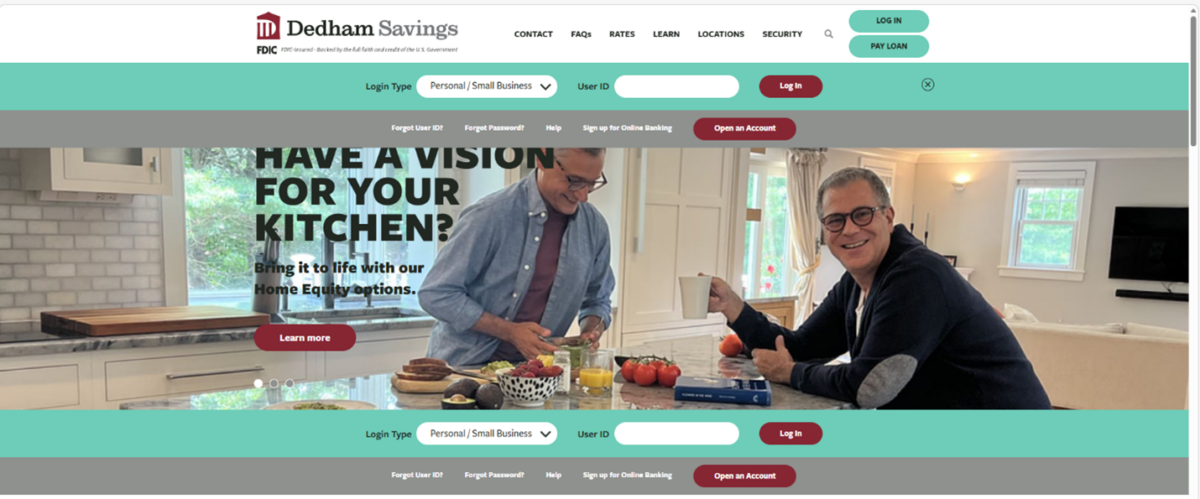
As of 4/29, here’s how your login process looks when you visit the website and click “Login”:
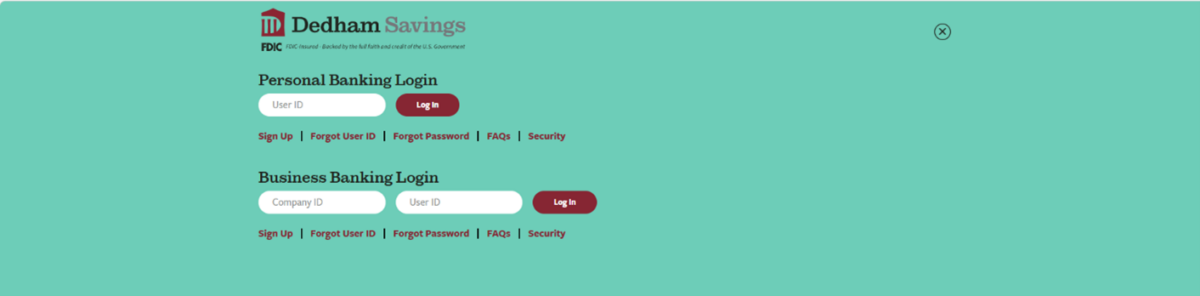
Having all of your options in one place will make it easier for you to quickly complete your Online Banking via our website.
If you have questions or would like more information, please reach out to us.
Thank you for choosing Dedham Savings and for taking advantage of our 24/7 Online Banking service.